

For science teachers
AI lab report grader for science teachers
Lab reports, CER responses, short answers and problem sets in biology, chemistry, physics and earth science, scored section by section against your rubric, with partial credit for a correct method. Handwritten pages with diagrams and calculations or typed documents. You check each score and note, edit what you disagree with and approve the paper before it goes back.
Built for science classrooms
Every section of the lab report, scored against your rubric

Hypothesis, variables and procedure
Checks that the hypothesis is testable and tied to the research question, that independent, dependent and controlled variables are named correctly, and that the procedure could be repeated by someone else from what the student wrote.

Data tables, graphs and calculations
Reads hand-drawn tables and graphs from a scanned page: units, labeled axes, plotted points, and whether averages, percent error or rates follow from the values the student recorded.

Analysis and conclusion
Scores whether the conclusion answers the question with the data collected, acknowledges sources of error, and connects the outcome to the concept being studied rather than restating the hypothesis.

Claim, evidence, reasoning
CER responses get a score and a comment on each of the three parts: a clear claim, evidence taken from the data, and reasoning that uses a scientific principle to link the two.
How it works
From lab notebook to graded report in three steps
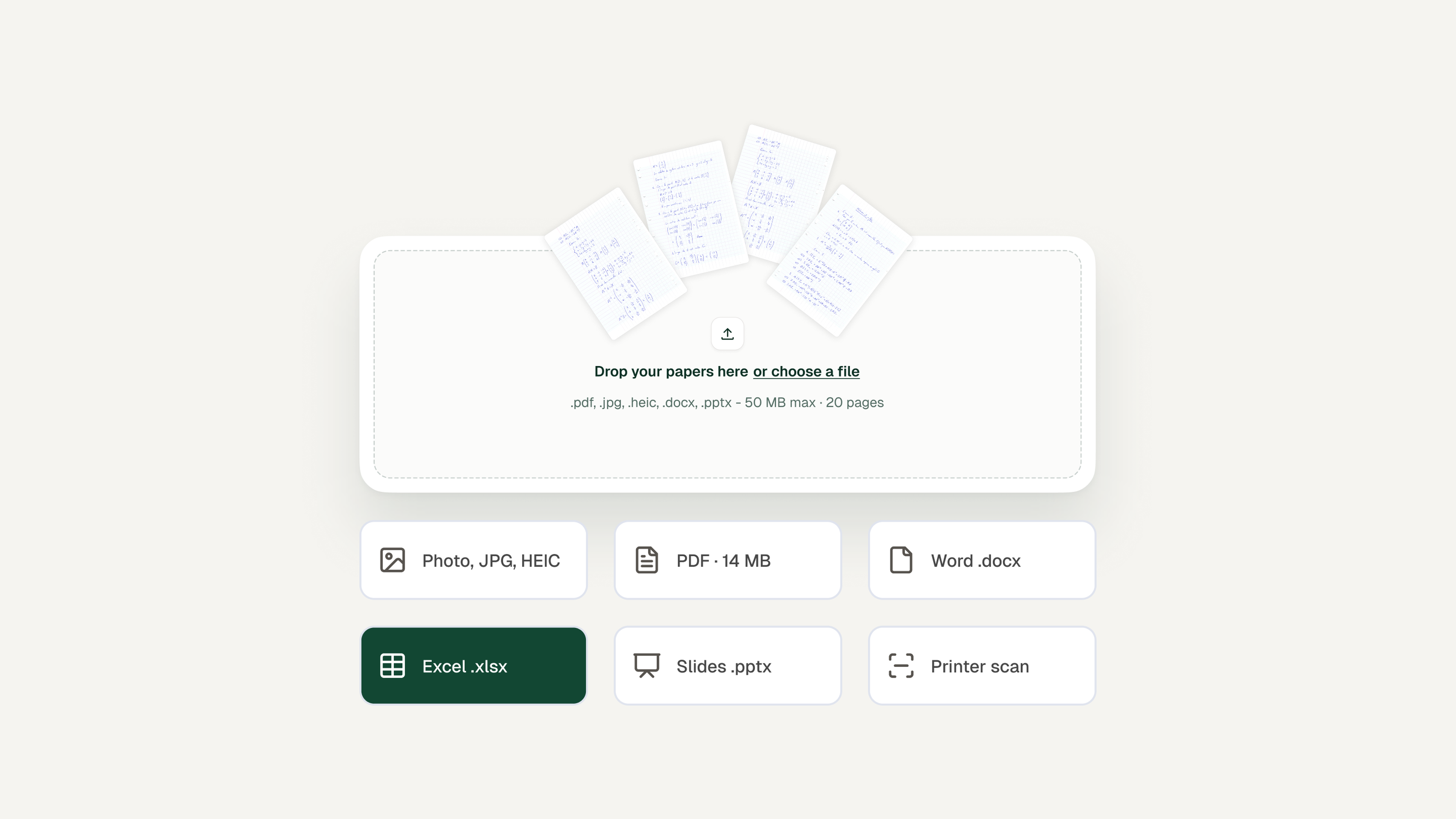
Set up the assignment
Upload the lab handout, your rubric and, if you have one, a model answer or key. Point values per section and the rules you use for partial credit are read from the rubric; a short note in plain English works too.
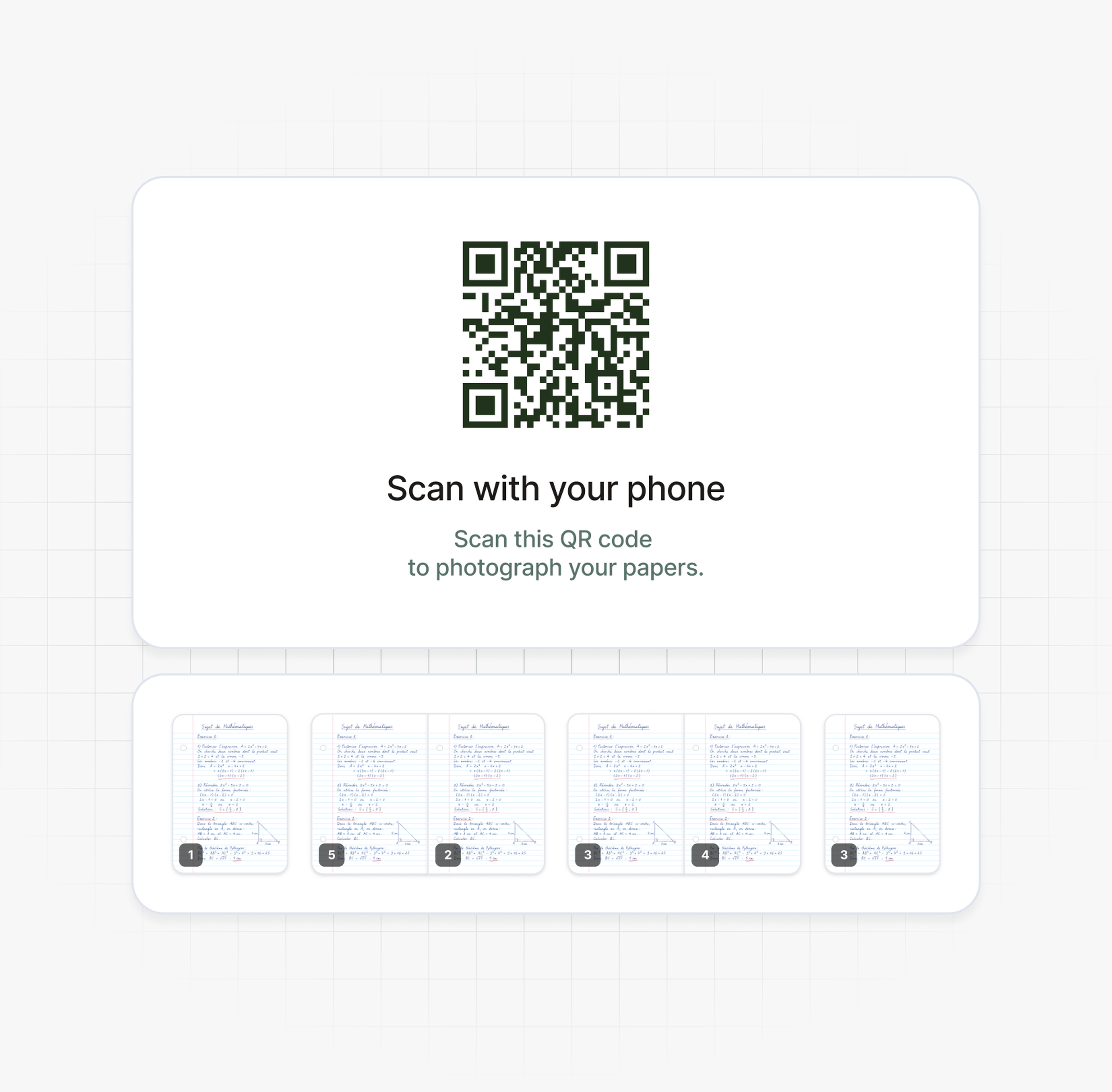
Scan the lab notebooks
Students photograph their own pages from a phone through the QR code in Examino, or you scan a whole stack at once. Diagrams, hand-drawn graphs and calculations are read along with the text. There is no app to install.
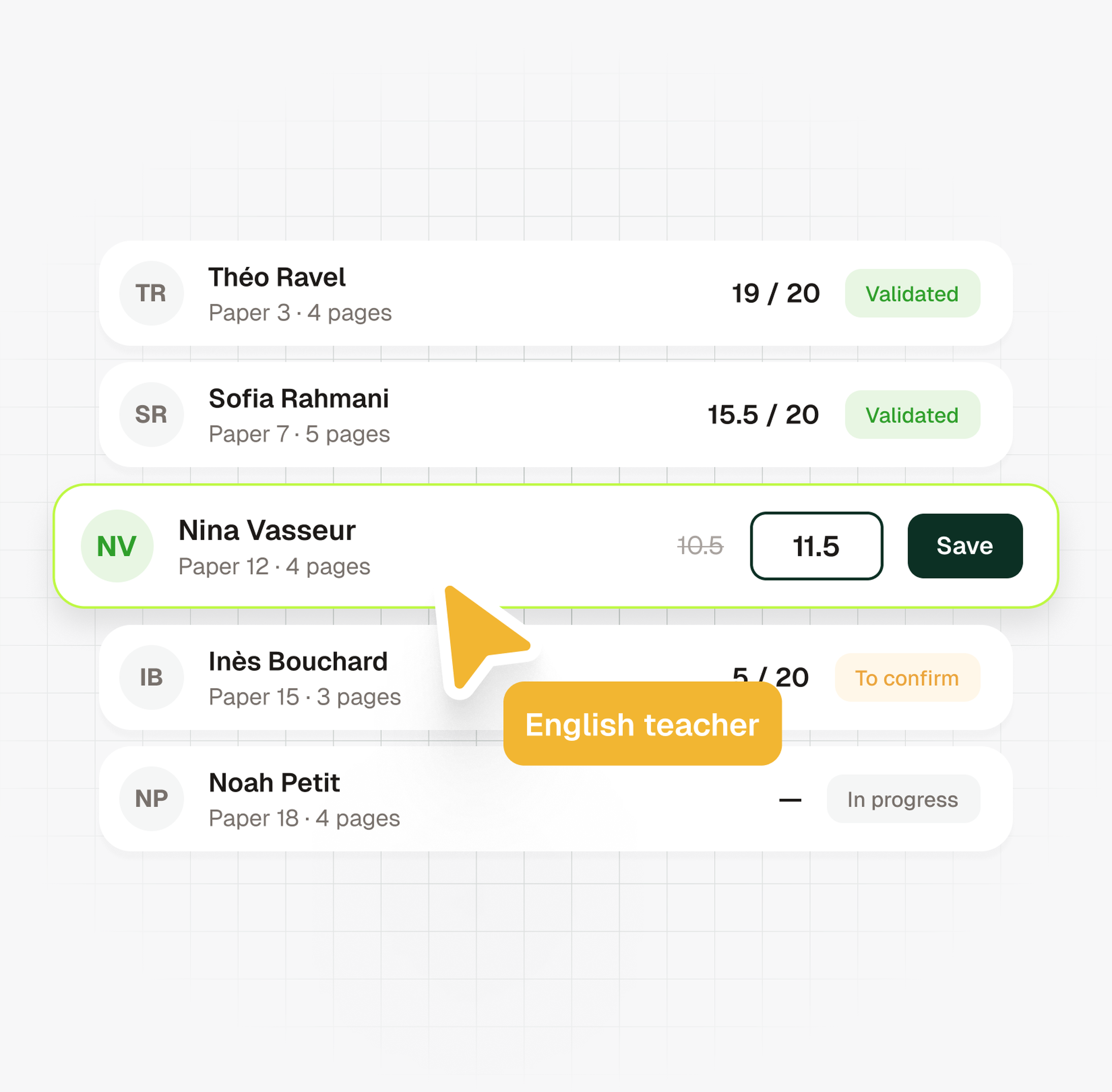
Review scores, with lost points explained
Each report comes back with a score per section and a note on where points were lost. Give a point back for a correct setup with an arithmetic slip, edit the note, approve the paper, then export to Word or PDF.
In science classrooms and labs
500,000+ papers graded by 30,000+ educators
From weekly lab write-ups to unit tests and problem sets, in every science subject and at every level, middle school to college.
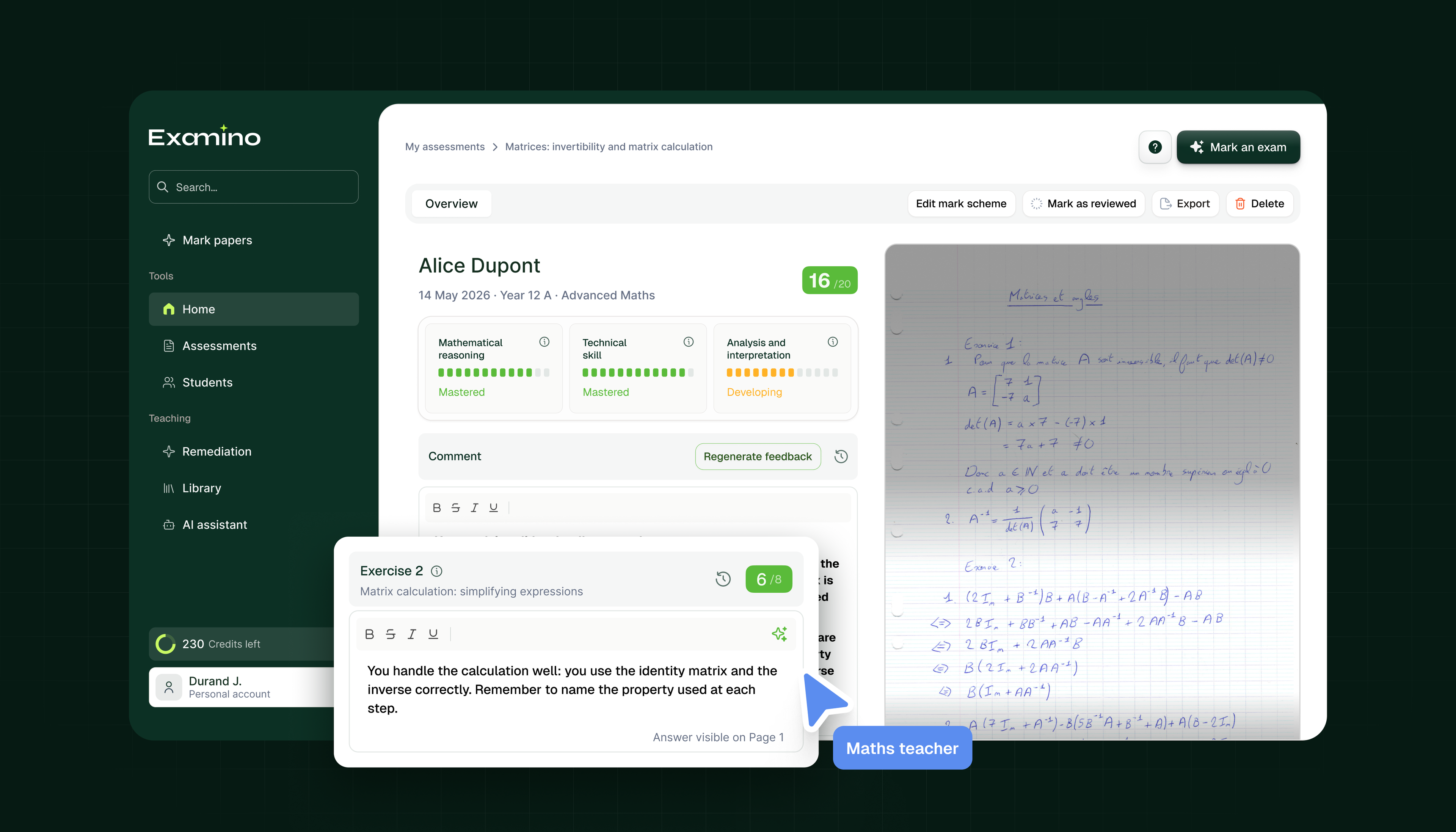
Partial credit
Credit for the right method, not just the right answer
In problem solving, Examino follows the steps a student wrote down, awards credit for the correct formula, unit conversion or setup, and points to the line where the chain breaks. For calculation-heavy assignments with multi-step problems, the AI math grader covers that in more detail.
Targeted practice
Exercises built from the class's weak spots
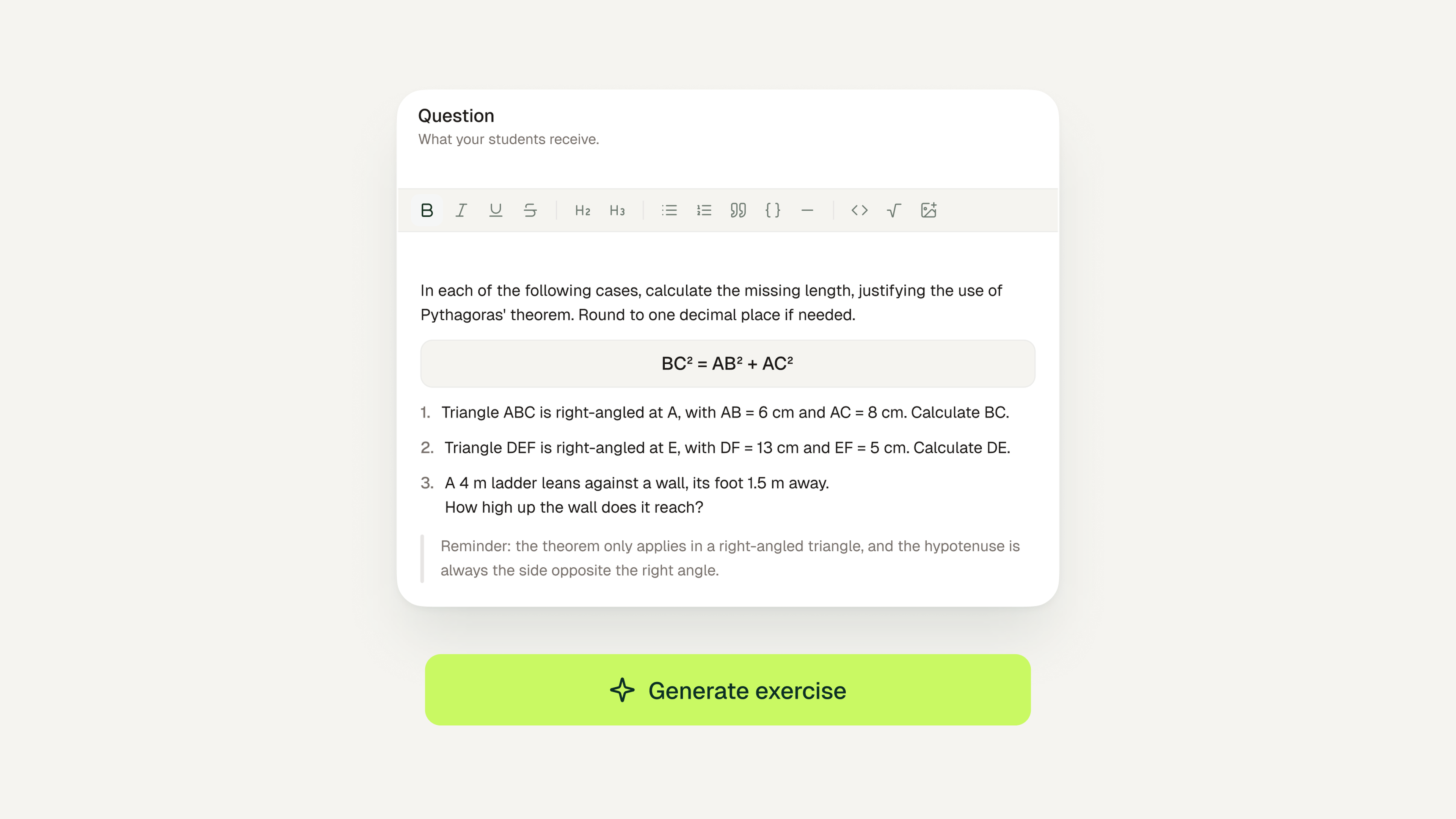
Once a set of lab reports is graded, Examino shows the questions and rubric sections where students lost points, such as variables, graphing or the conclusion, and how many students are affected. For each one it can generate a targeted exercise to give to the students who need it.

Class view
Where the class lost its points
Average, score distribution, and the rubric sections that drag scores down, per class and per student. Useful for deciding what to reteach before the next lab and for showing a student exactly which section to work on.
Student privacy
FERPA-compliant, data hosted in the EU

One AI model sees a name, at most
Across the whole grading process, a student's name reaches at most one AI model. Names and scores are shown together only inside your account.

No training on student papers
Examino's AI providers are contractually prohibited from training on student work. Storage and processing happen in the European Union under GDPR.

Approved before it leaves your account
Scores and notes can be edited on every paper before you validate it. Nothing is exported, printed or shared with a student until you have approved it.
Pricing
Free for 10 papers a month, then by volume
Discovery
For teachers who want to try Examino: 10 free papers a month.
Free
Grade up to 10 papers / month
1 rubric edit per assignment
Unlimited targeted practice exercises
Chat customer support
Class overview dashboard
Export feedback to Word and PDF
Standard
Designed for individual teachers with regular grading needs.
$7.50
/ month No annual commitment
Grade up to 100 papers / month
3 rubric edits per assignment
Unlimited targeted practice exercises
Chat customer support
Class overview dashboard
Export feedback to Word and PDF
Cancel anytime
Plus
For teachers with intensive grading needs.
$17.90
/ month No annual commitment
Grade up to 300 papers / month
3 rubric edits per assignment
Unlimited targeted practice exercises
Chat customer support
Class overview dashboard
Export feedback to Word and PDF, without the Examino logo
Cancel anytime
Schools and districts
Designed for schools, districts, and higher education institutions.
Advanced analytics, premium support, and an admin workspace to manage licenses. Contact us for pricing.
Grade your next set of lab reports with Examino
Upload your rubric, scan the notebooks, review the scores. 10 free papers a month, no app to install.
Our blog
Further reading on AI grading
 Artificial IntelligenceAI Essay Grading: The Complete Teacher's Guide
The integration of artificial intelligence (AI) in education has transformed traditional assessment methods. This guide aims to provide educators with a comprehensive overview of AI essay grading, its implications, benefits, and potential challenges, equipping teachers with the knowledge to adapt to this new landscape.
 December 31, 2024
 Artificial IntelligenceAI essay grading: a step-by-step method for teachers
Grading piles of handwritten essays manually is a repetitive task that often leads to teacher burnout and inconsistent evaluation standards.
Here is a concrete method for AI essay grading with Examino: digitize the papers, run a first pass against your rubric, then review every grade before it goes back to students. The goal is consistent feedback for every student and fewer evenings spent on first-pass grading.
December 21, 2025 AssessmentGradescope alternative: 5 grading tools for teachers
Finding a flexible gradescope alternative often starts with two questions: what does it cost, and how long does setup take for everyday grading? We compare five accessible tools, for individual teachers and for whole departments.
This guide covers pricing, key features such as AI handwriting recognition, and the best use case for each tool.
 December 20, 2025