

From Paper to Pixels: The First Step in AI Grading
Why a Good Scan Is Non-Negotiable
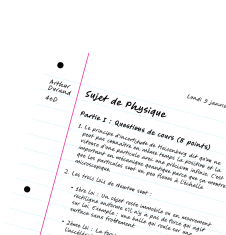
The magic behind how we grade handwritten ai assignments relies on Optical Character Recognition (OCR). If the image is poor, the OCR fails completely. Without clear text, the AI cannot analyze anything.
A bad digitization is the number one reason for failure here. Artificial intelligence isn't yet capable of guessing what's written on a blurry, dark, or skewed photo. The quality of your input directly determines the quality of the output.
Taking a few seconds to scan properly saves you hours later. It is a smart trade.
A Practical Guide to Scanning Assignments
You do not need an expensive desktop scanner for this task. A modern smartphone running apps like Adobe Scan or native iOS tools does an excellent job. These tools are powerful and accessible.
Here is the main trick: always use the specific "document" mode in these apps. Never use the standard photo mode.
Place the sheet on a flat, contrasting surface for edge detection.
Ensure uniform lighting without shadows from your hand or phone.
Hold the phone parallel to the page to avoid distortion.
Verify that all text is sharp before saving the file.
Preparing Your Files for the AI
Most grading tools, including our solution Examino, prefer the PDF format for stability. Fortunately, scanning applications export natively to this standard format. It ensures the layout remains fixed during analysis.
We strongly advise naming files logically, like "StudentName_HW1.pdf", before uploading them. This simple step simplifies management significantly. It becomes a lifesaver when handling large classes with many submissions.
Teaching the AI: Setting Up Your Grading Criteria
Now that the assignments are digitized properly, it is time to tackle the most significant part of the workflow: telling the AI exactly how to grade.
Defining Your Rubric: The Brains of the Operation
Let's be clear: AI isn't a mind reader. If you want it to grade handwritten ai papers effectively, you have to tell it exactly what "correct" looks like. You provide the rubric; the AI acts as the tireless executor. This keeps the control firmly in your hands, so the grading reflects your specific standards, not a machine's guess.
The rule is simple: vague inputs yield vague feedback. You need to specify points per question and the exact keywords or logic expected. The more granular your criteria—breaking down expectations step-by-step—the sharper and more useful the correction becomes.
The Examino Way: Creating Your Exam Model
We designed Examino to make this workflow effortless. It’s built to be intuitive, so you aren't fighting the interface to get things done.
You create a new exam directly in the application.
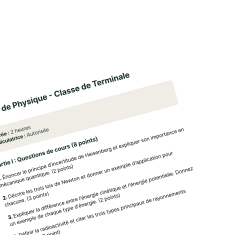
You import the blank exam subject (the document with the questions).
You define the specific rubric and expected answers for every single question.
Here is the best part: you only do this heavy lifting once. After you build this "master model," the system applies it to ten, fifty, or three hundred copies instantly. It scales your effort dramatically, saving hours of repetitive work.
Try Examino for free
The app lets you scan your handwritten papers using your smartphone to grade them with Artificial Intelligence.
Maximize your teaching impact by minimizing your grading workload.
Handling More Than Just Text
Teachers often worry that AI is just a fancy spellchecker for English class. That is a myth. Robust tools don't stop at analyzing paragraphs; they understand context.
Solutions like Examino are trained to interpret varied content. This includes complex mathematical formulas, chemical equations, or even simple schemas. For math-heavy submissions specifically, our AI Math Grader handles handwritten algebra, calculus and geometry with step-by-step partial credit. The AI checks if specific elements are present in a diagram. It works just as well as a capable AI essay grader, evaluating structure and arguments.
The AI at Work: Automated Analysis and Pre-Grading
How the AI Reads and Understands Handwriting
Standard OCR technology converts ink into digital text, but that is merely the technical baseline. The true power lies in the advanced AI layer that follows immediately after scanning. It does not simply read the characters; it interprets the semantic meaning behind them to understand the student's intent.
Trained on millions of academic documents, our model grasps context and complex syntax with surprising accuracy. It even manages to decipher imperfect handwriting that would stump a human reader, turning messy scribbles into structured, usable data.
Applying the Rubric and Spotting Errors
The system systematically compares every student answer against the specific rubric you provided during setup. It actively hunts for mandatory keywords, underlying ideas, or specific calculation steps defined in your criteria to ensure nothing is missed.
Take Examino as the prime example of this process in action. The AI highlights exact sections in the student's work that match your criteria. It simultaneously flags factual errors or omissions, allowing you to grade handwritten ai assignments with objective precision.
This creates a massive time-saver, as the initial reading pass becomes fully automated for you.
Generating a Proposed-Grade and Feedback
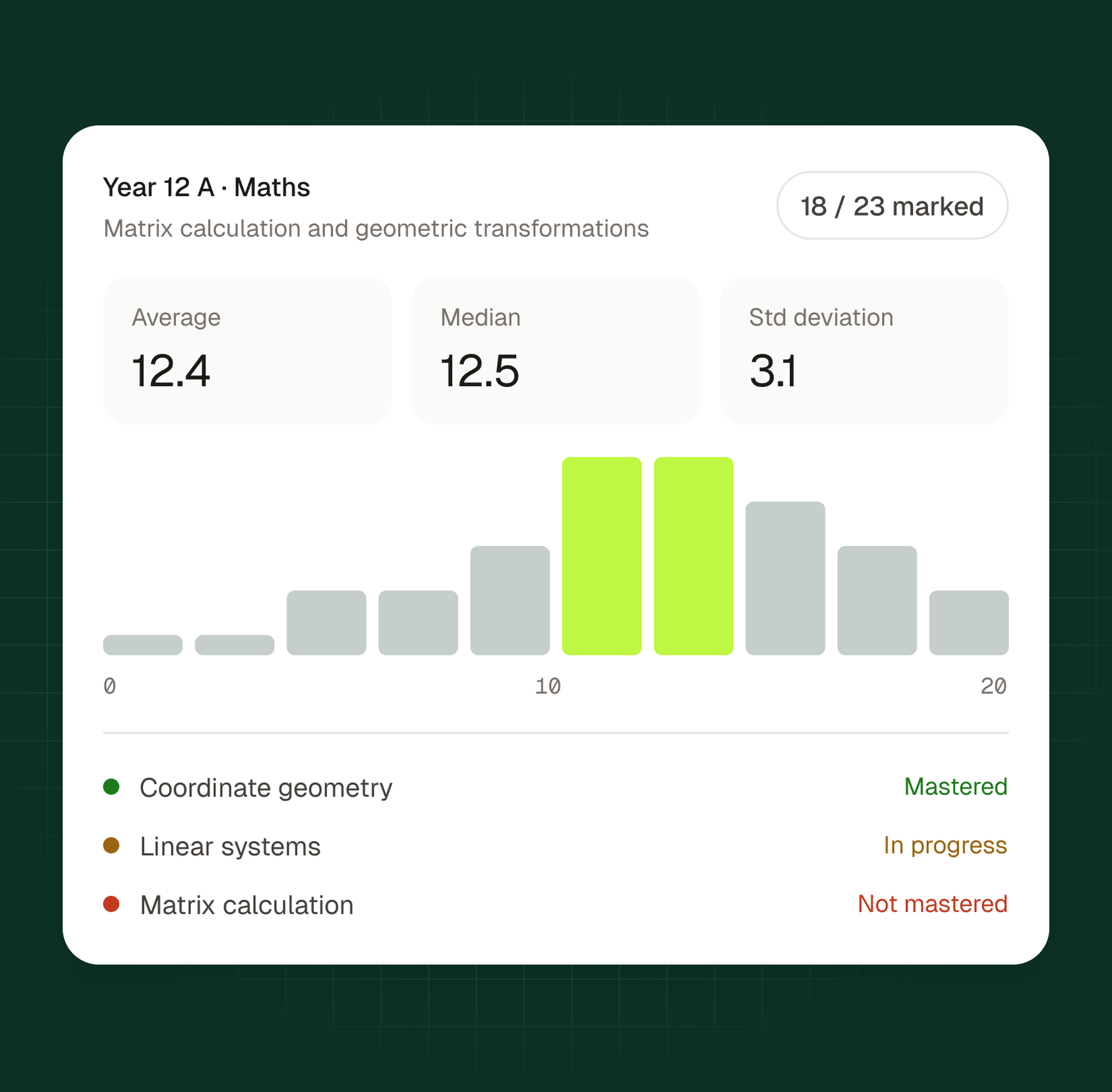
Based on how well the answer fits the rubric, the AI computes a proposed grade for the assignment. Consider this a strong suggestion rather than a final judgment. It serves as a robust, consistent starting point for your review, allowing for faster validation.
The system also drafts standard comments to speed up your workflow significantly. You will see notes like "Good reasoning but lacks concrete examples" or "The calculation is accurate, but the unit of measurement is missing."
You’re Still the Boss: Validating and Finalizing Grades
The AI has done its part, but the work isn't finished. The teacher's role remains central, making this tool truly powerful.
Reviewing the AI’s Suggestions
Once scanned, you land on a dashboard with pre-corrected assignments. You see the student’s work alongside the AI’s suggested grade and justifications based on your rubric. It offers an immediate visual overview of where points were granted or deducted.
Think of this stage as supervision, not correction. You aren't hunting for every missing comma; you simply verify the machine's logic in seconds. The heavy lifting is finished, letting you validate results without the mental drain of starting from scratch.
Adjusting Scores and Personalizing Feedback
If you disagree with a deduction, override the score with a single click. We designed the system so you maintain full control. You are the expert, and the final decision always rests with you.
Grading is about guidance, not just numbers. Modify the AI's comments or add your own remarks—like a word of encouragement or nuanced explanation. This personal touch transforms a raw score into a genuine learning opportunity.
It represents the perfect balance: automation's speed paired with your pedagogical discernment. For a deeper look at the entire process for grading an exam, check our detailed guide.
The Real Payoff: Consistency and Time Saved
By automating the grunt work, we slash correction time, freeing you for lesson planning. But the benefits of using software to grade handwritten ai assignments go beyond just the clock.
Greater objectivity ensures the same mistake is penalized equally on every copy.
Total consistency in applying your rubric eliminates "grader fatigue."
Faster feedback loops allow students to learn while material is fresh.
Embracing AI grading transforms the assessment process. By automating data entry and initial analysis, Examino allows you to focus on meaningful feedback. You maintain complete control over final scores while gaining unparalleled consistency. This efficient workflow saves hours, ultimately enhancing the educational experience for everyone.